I updated The Ultimate Guide to RGB Controllers on 2/11/2026, and I know many builders still feel stuck choosing between an internal USB hub and an argb controller.
I write from hands-on experience: people often mix up a simple expansion hub with a full rgb led controller. That confusion can cause wrong connections and messed up software installs.
My goal is to make the difference clear so your PC gets the right power and signal via internal usb and stays stable for years.
Whether you need a dedicated rgb controller or a basic expansion device depends on your motherboard and the lights you pick. I will walk you through the technical needs and the software side so you can choose confidently.
Key Takeaways
- Know the role of each device before buying to avoid installation headaches.
- A basic expansion hub is not the same as an rgb led controller for software control.
- Check motherboard headers and power limits when planning lighting.
- I recommend verifying compatibility via internal usb connections first.
- Choosing the right option now saves time and keeps your system stable.
Understanding the Role of Internal Expansion in PC Builds
I’ve noticed that when you add more fans and lights, power and header limits become real constraints. A standard 12V RGB connector uses a 4-pin layout, while 5V ARGB uses a 3-pin layout, so you must match the type before you plug anything in.
Every modern PC build needs careful management of the fan header and lighting connection. If your motherboard lacks enough ports, the easiest fix is a smart expansion that keeps the main headers from being overloaded.
I recommend checking the motherboard manual for how many pwm and rgb headers are available. When you add a new fan or LED strip, verify the connection type and the power draw to prevent damage to delicate components.
Using a dedicated device for fans and lighting helps maintain steady power across addressable devices and reduces software glitches. Don’t forget SATA power can be used to feed extra ports when your board can’t supply enough current.
Below are quick reminders to keep your build stable:
- Confirm 3-pin versus 4-pin pinouts before connecting LEDs or fans.
- Count available ports and plan for future fans or strips.
- Use proper power feeds to avoid overloading motherboard headers.
Defining the Internal USB Hub vs ARGB Controller Distinction
Choosing the right device comes down to whether you need signal processing or simple signal sharing.
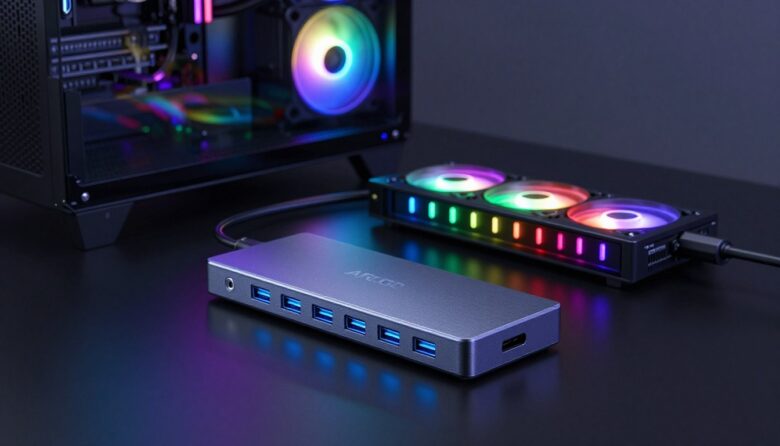
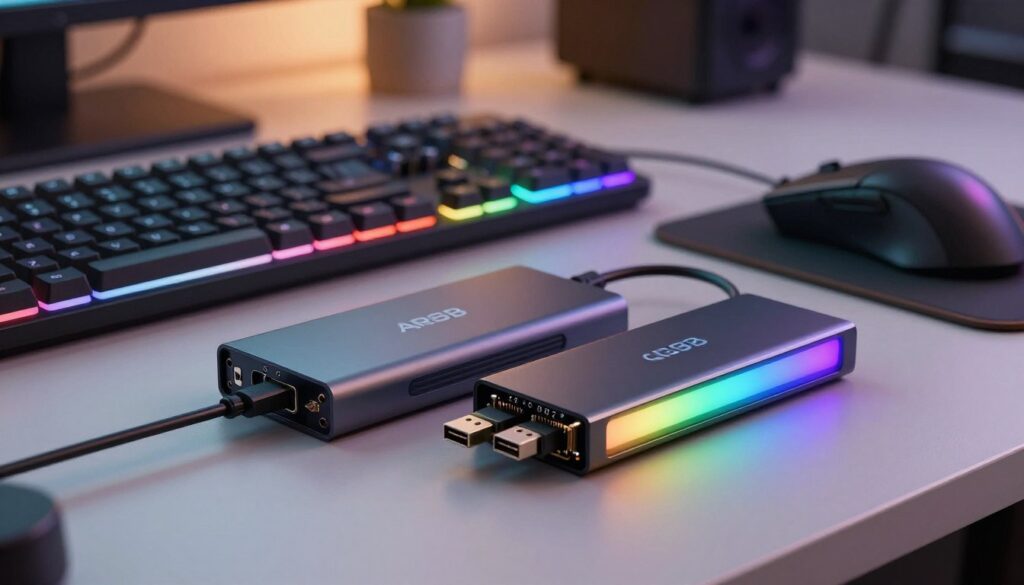
The technical split is straightforward: a true led controller interprets control signals and can run software to manage each addressable rgb led. A passive splitter only mirrors the motherboard’s output and does not process data.
The Technical Difference Between Data and Lighting
5V addressable rgb uses a 3-pin connector while standard 12V rgb uses a 4-pin type. That matters because the data line and power arrangement differ.
If you want per-LED effects via software, you need a device that provides signal processing and, often, an independent power supply or sata power for extra current.
Passive Splitters vs Active Controllers
Products like the TT Sync Controller act as passive splitters. They copy the motherboard’s signal to multiple argb ports but do not add processing.
“A passive splitter duplicates the signal; an active unit interprets it and supplies power where needed.”
That means using a passive option limits how many separate effects you can run. When fans and leds draw more current, check headers and consider a led controller or a powered hub controller for stable operation.
| Feature | Passive Splitter | Active Controller |
|---|---|---|
| Signal processing | No — mirrors motherboard | Yes — interprets and maps data |
| Software control | Limited — relies on motherboard | Full — supports per-LED effects |
| Power handling | Depends on header; may need sata | Often includes separate power supply |
| Best use | Adding more fans or leds without new effects | Complex lighting setups and strips |
- Tip: Verify header limits on your motherboard before adding many fans or strips.
- Tip: Use sata power when the total power draw exceeds header specs.
Why Your Motherboard Headers Might Not Be Enough
Motherboard headers sound simple on paper, but they hide strict limits that bite when you scale a build.
Most headers top out at about 3A (15W). That commonly supports roughly 100–500 leds depending on the led type and brightness.
I have seen builds where adding more than one fan to a single header pushed current beyond specs. The result is unstable lighting, flicker, or a disabled header.
If you run out of ports, the practical fix is an expansion via usb so you can add more addressable rgb strips and pwm fans without overloading the board.
“Splitting a header without adding power often causes flicker when total draw exceeds the motherboard’s safety rating.”
My recommendation: use a powered solution that connects via internal usb and includes SATA power when your setup needs extra ports or heavier load.
| Issue | Typical Limit | Symptom | Fix |
|---|---|---|---|
| Single header current | ~3A / 15W | Flicker or shutdown | Use powered unit via usb + SATA |
| Multiple fans on one header | Varies by pwm spec | Unstable rpm or brownouts | Distribute fans to multiple headers |
| Many addressable leds | 100–500 leds estimate | Signal instability | Add powered addressable expansion |
- Tip: Count ports and power draw before you buy more fans or strips.
- Tip: Use SATA power when total load nears or exceeds header specs.
Deep Dive into ARGB Controller Capabilities
A controller’s chip and power delivery decide whether complex effects stay smooth. Pick a unit with real processing if you plan many strips or dynamic patterns.
Standard ARGB compatibility hinges on support for addressable rgb led types and stable sata power. The Nollie 32, for example, uses a RISC-V core and can manage up to 8,192 leds across 32 channels. That kind of throughput keeps per-led effects crisp without dropping a frame.
Proprietary ecosystems
Many manufacturers lock devices into their own software. That limits what argb ports accept and which rgb led strips you can use.
“Proprietary systems often prevent standard addressable rgb led devices from working outside the brand.”
SignalRGB performance
When using SignalRGB or similar software, choose a unit that handles complex effects and keeps sync across fans and strips.
- Corsair Commander Pro is my pick if you need temp sensors and extra usb 2.0 headers while managing fan header connections.
- Look for compact size if case space is tight; smaller units are easier to mount.
- Always prefer a model that supplies stable sata power so lighting and fans stay synchronized under load.
When You Actually Need an Internal USB Hub
Most builders reach a point where they simply need more header connections to finish the job. If your motherboard has run out of ports for fans, lighting, and monitoring modules, adding extra header capacity is a practical next step.
I install these expansions when I need to connect a fan header module, a lighting module, or a pwm fan controller without replacing the whole board.
Why choose a powered expansion? A powered unit supplies consistent power via SATA so pwm fans and addressable rgb strips get steady current. That prevents flicker and unstable rpm when many devices draw power from a single header.
Quick checklist
- Motherboard has no spare header for additional fans or leds.
- You run fan control software and need a stable via internal usb connection.
- Powered expansion keeps led and fan power off the motherboard header.
- Cost-effective way to add ports versus swapping the motherboard.
| Need | Best solution | Benefit |
|---|---|---|
| More fan ports | Powered expansion | Stable rpm and reduced header load |
| Many addressable leds | Powered module via internal usb | Consistent lighting without flicker |
| Software control for fans | Stable connection to software | Reliable control and monitoring |
Choosing the Right Hardware for Your Specific Setup
The best choice balances room, power delivery, and how many fans you plan to run.
I look first for a unit that plays nice with motherboard software so lighting and fan curves stay in sync.
Compact size matters when case space is tight, but count argb ports and header compatibility before you buy.
- Compatibility: Confirm your addressable rgb led types match the device and motherboard control.
- Power: Check if the unit needs sata power to avoid overloading headers.
- Capacity: Verify total ports to cover all fans and led strips now and later.
“Pick hardware that gives you enough ports and stable power so effects don’t drop frames.”
| Feature | What to pick | Why it matters |
|---|---|---|
| Software support | Motherboard-compatible | Unified effects and monitoring |
| Power feed | SATA power recommended | Prevents flicker and header shutdown |
| Port count | Enough argb ports for all fans | Avoids daisy-chaining and overload |
| Form factor | Compact size fit | Easier mounting and cable routing |
Note: the Thermaltake Riing Plus is a 3-port unit that works without extra software. I often suggest models like that when users want simple plug-and-play control.
Final Thoughts on Managing Your PC Lighting and Connectivity
Start with the end result in mind: do you want per‑LED effects or simply more ports for fans and argb lights? Map how many rgb strips and fans you plan to run so you avoid surprises later.
I advise choosing a controller that matches your motherboard and preferred software. Use a powered SATA feed when needed and keep a clear usb connection path so headers do not get overloaded.
For addressable rgb led setups, prefer units that handle control signals cleanly. A quality led controller keeps effects smooth and prevents dropped frames on complex patterns.
Keep fan headers and power management central to your plan. Do that and your lighting and fans will stay synchronized, cool, and reliable for daily use.
FAQ
What’s the main difference between an internal USB expansion and an addressable RGB lighting box?
I see the core split as data vs lighting. One item extends header capacity so devices like RGB controllers, fan controllers, or front-panel modules can talk to motherboard software. The other interprets and powers addressable LEDs, providing per-LED effects and color control. If you need more headers for devices and software control, add the expansion. If you want fine-grain LED effects and power management for strips or fans, choose the lighting box.
Can I use a simple splitter for my ARGB strips or do I need an active controller?
Passive splitters copy the same control signal to multiple strings, which works for small, identical runs. But when strips draw significant current or need independent effects, an active device with dedicated ports and power handling prevents flicker, voltage drop, and signal corruption. I recommend an active device when you hit three or more strands or long cable runs.
Why might my motherboard headers not support all my fans and LED devices?
Motherboards offer a limited number of fan and lighting headers and a capped power budget per header. If you attach many PWM fans or addressable LED products, the header can’t safely supply current or manage that many devices. Expanding with proper hardware offloads power and increases port count while keeping motherboard control intact.
How do proprietary lighting ecosystems affect compatibility?
Some manufacturers use unique pinouts or firmware that only work with their software and accessories. That can limit cross-brand use and force you to buy from the same ecosystem. I always check compatibility lists or choose standards-based products compatible with common software like Asus Aura, Gigabyte RGB Fusion, MSI Mystic Light, or SignalRGB.
What should I know about SignalRGB and similar software performance?
SignalRGB centralizes control across many brands and can improve interoperability, but it relies on supported hardware and stable drivers. Expect some occasional quirks with niche devices. For best results, use supported hubs and lighting boxes and keep firmware and drivers current.
When do I actually need an expansion for my motherboard’s internal header?
Add expansion when you’ve filled onboard headers with fans, pumps, or front-panel modules, or when you need more USB device connections inside the case. It’s also smart if you want to avoid overloading a single header with too many LEDs or fans, which risks unstable lighting or reduced lifespan.
How do power connections differ between SATA, Molex, and header-fed devices?
SATA and Molex provide direct power from the supply and suit high-current strips and hubs. Header-fed devices draw power through the board and are limited by motherboard specs. I use direct PSU feeds for long runs or many LEDs and keep header power for low-draw peripherals to prevent overcurrent on the board.
Can I mix standard addressable LED strips with proprietary-brand fans on the same controller?
Mixing can work if the controller supports the standard addressable signal and the voltage and connector pinout match. Proprietary fans may require their vendor’s unit or adapter. I always verify voltage (typically 5V for addressable strips), pin orientation, and supported protocols before connecting.
Do compact lighting boxes handle PWM fan control as well as lighting?
Some compact units combine PWM fan headers with LED control, offering both speed and lighting management. Not every lighting box includes fan PWM functionality, so check specs. If you need both, choose a model explicitly listing PWM fan headers and sufficient amperage for fans and LEDs.
How many addressable LED ports should I look for when buying a hub or lighting box?
Consider current draw per port and your planned device count. I look for multiple ports to separate long strips and fan rings, and enough total amperage to handle peak loads. More ports give layout flexibility and reduce daisy-chaining, which helps maintain reliable lighting signals.
Is firmware and software support important when selecting a lighting or expansion device?
Absolutely. Firmware updates fix bugs, add compatibility, and improve effects. Software determines how conveniently I can sync lighting across components. I favor vendors with active software development and clear driver pages to avoid compatibility headaches.
What are common signs that I’ve overloaded a lighting port or fan header?
Look for dimming, color shifts, flicker, or unstable fan speeds. Those symptoms often mean voltage drop or signal degradation. If I see persistent issues, I move power to a direct PSU connector or spread devices across multiple ports to relieve the header.
Are there safety tips for wiring multiple fans and LED strips inside a case?
Use proper connectors and avoid forcing incompatible plugs. Route cables to prevent strain and keep power lines separate from signal lines when possible. Verify current ratings and prefer PSU-fed power for high-draw components. I also secure firmware and software before large component additions to ensure stable control.

Adrian Voss is an RGB lighting specialist and tech writer focused on customization, performance, and smart lighting systems. He shares hands-on insights, reviews, and setup guides to help users take full control of their RGB controllers and create immersive, personalized environments.